Operation
First boot initial setup
The following process is required when you boot your Meteor Pro for the first time. This process takes 5 minutes and will guide you throw some essentials required for you and your Meteor to be able to communicate with others.
A reboot of the Meteor is required to change certain settings. Don't worry if the Meteor reboots after changing settings and clicking on "Save".
-
Attach the supplied antenna securely to the RF connector. Using only 2 fingers screw on the provided antenna on the RP-SMA antenna connector (3). Stop screwing once the antenna is flush with the enclosure.
-
Press briefly and immediately release the Power button, wait 5 seconds. The indicator LED lights up and the Meteor is now "ON".
-
Connect to the device via Bluetooth 5.0 using the supported Meshtastic app.
- Click on "Set your region"
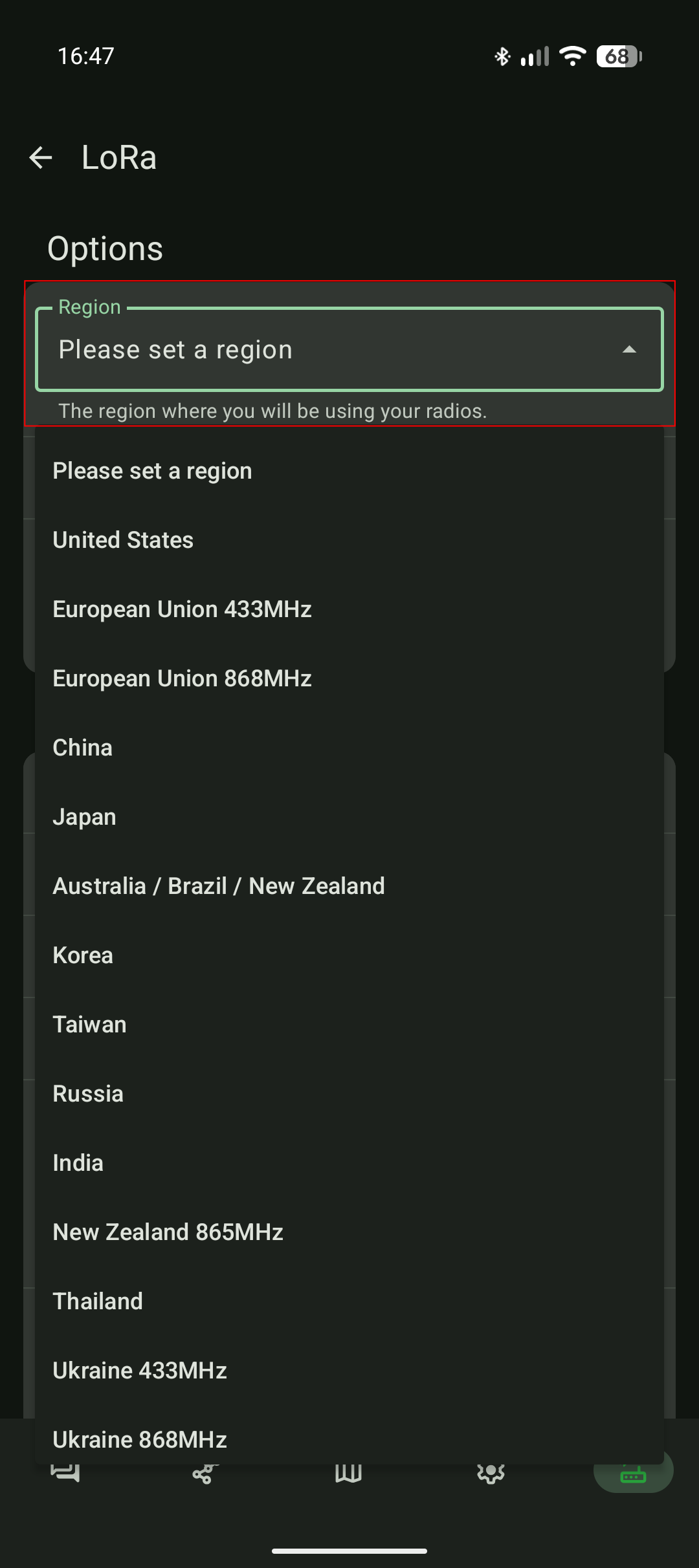
- Select the region matching your approximate location
- Select the radio preset that you want to use and click on "Save" at the very bottom of the page. More details about radio presets here: meshtastic.org/docs/configuration/radio/lora
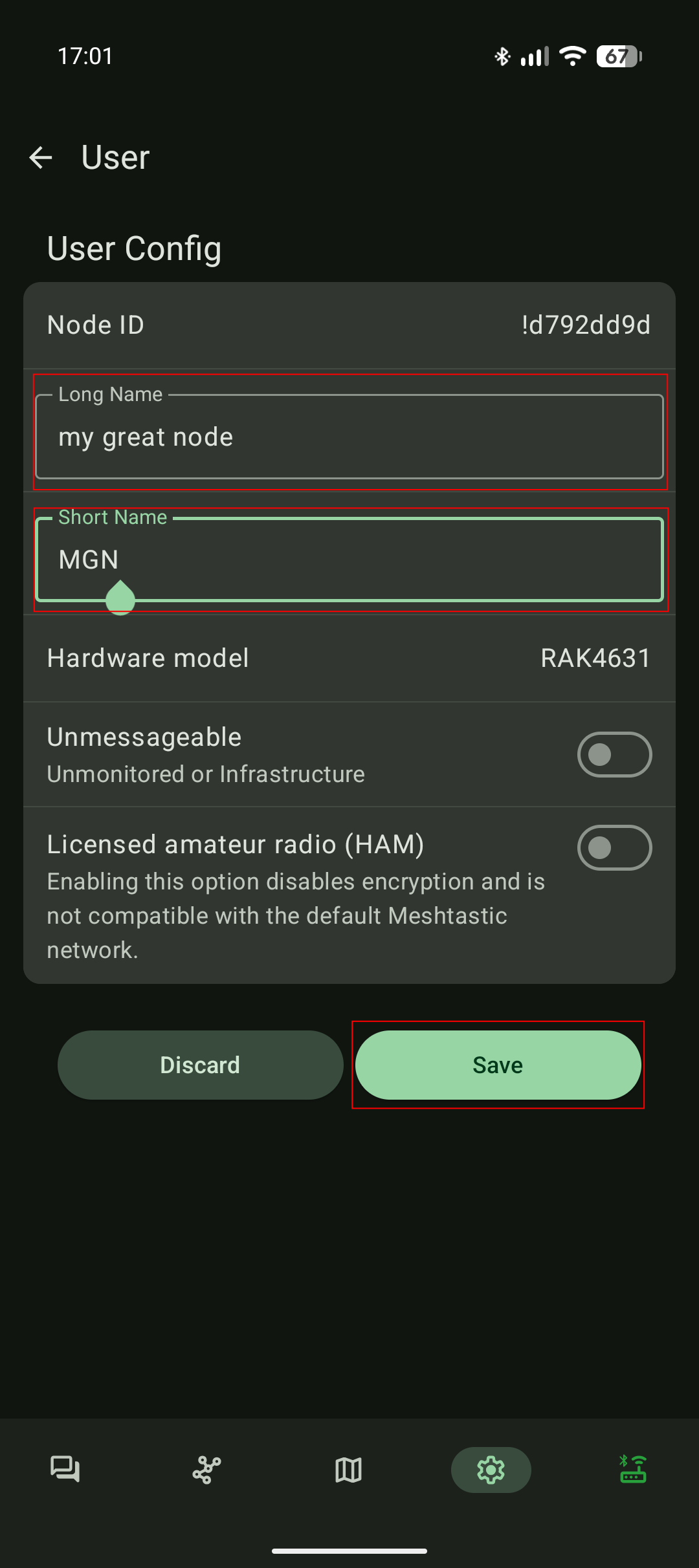
- Under "Device configuration > User" set the short and long name of your node. Those names are displayed to other Meshtastic users and is used as an identifier.
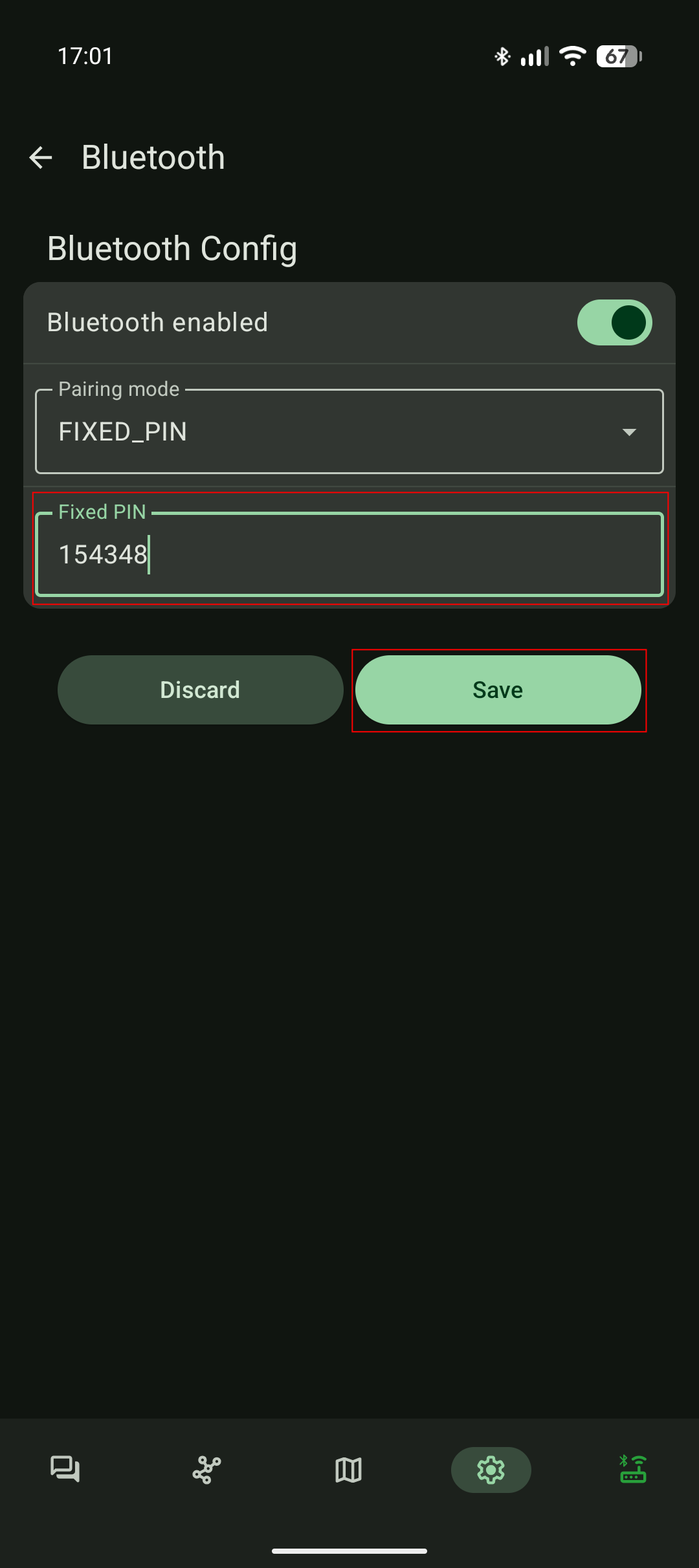
- Finally under "Device configuration > Bluetooth" set a custom Bluetooth PIN for your Meteor.
Default Bluetooth password: 123456
3. 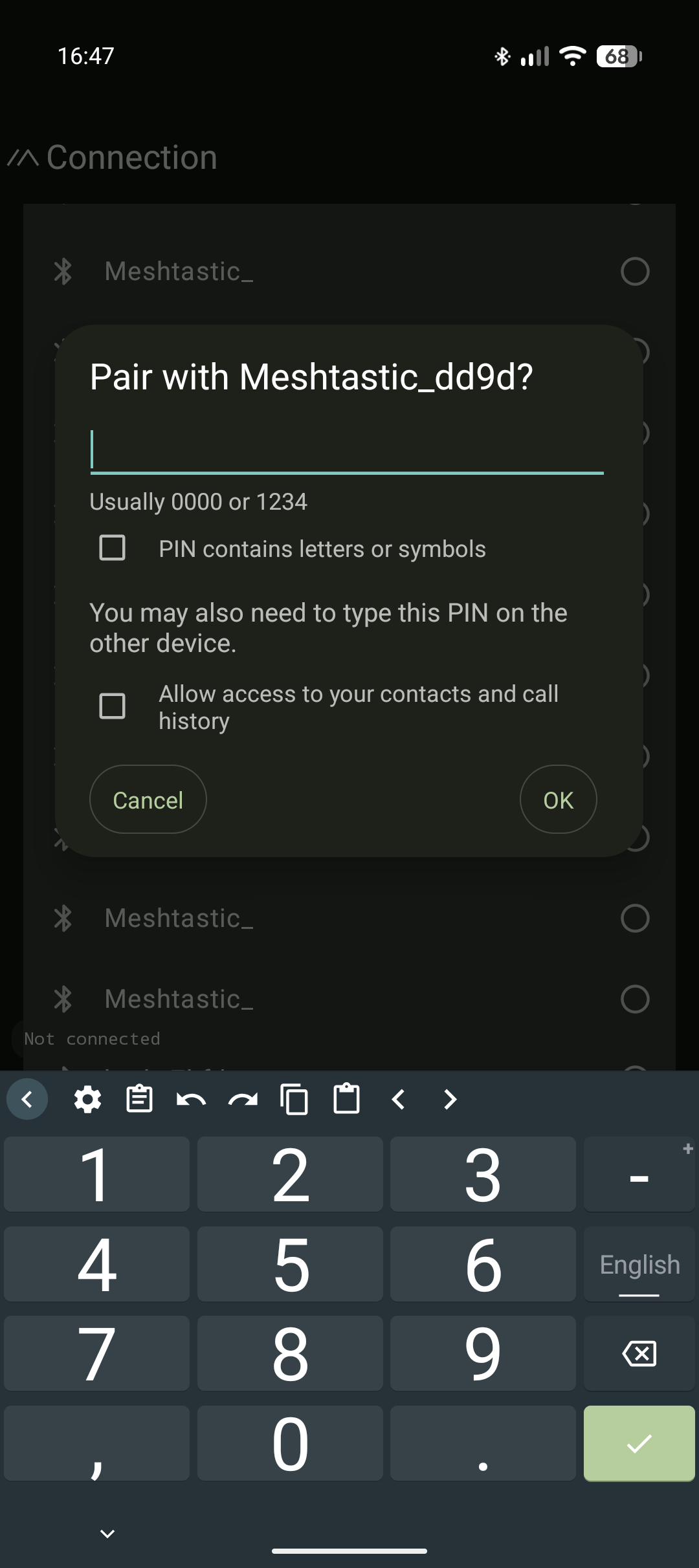 4.
4.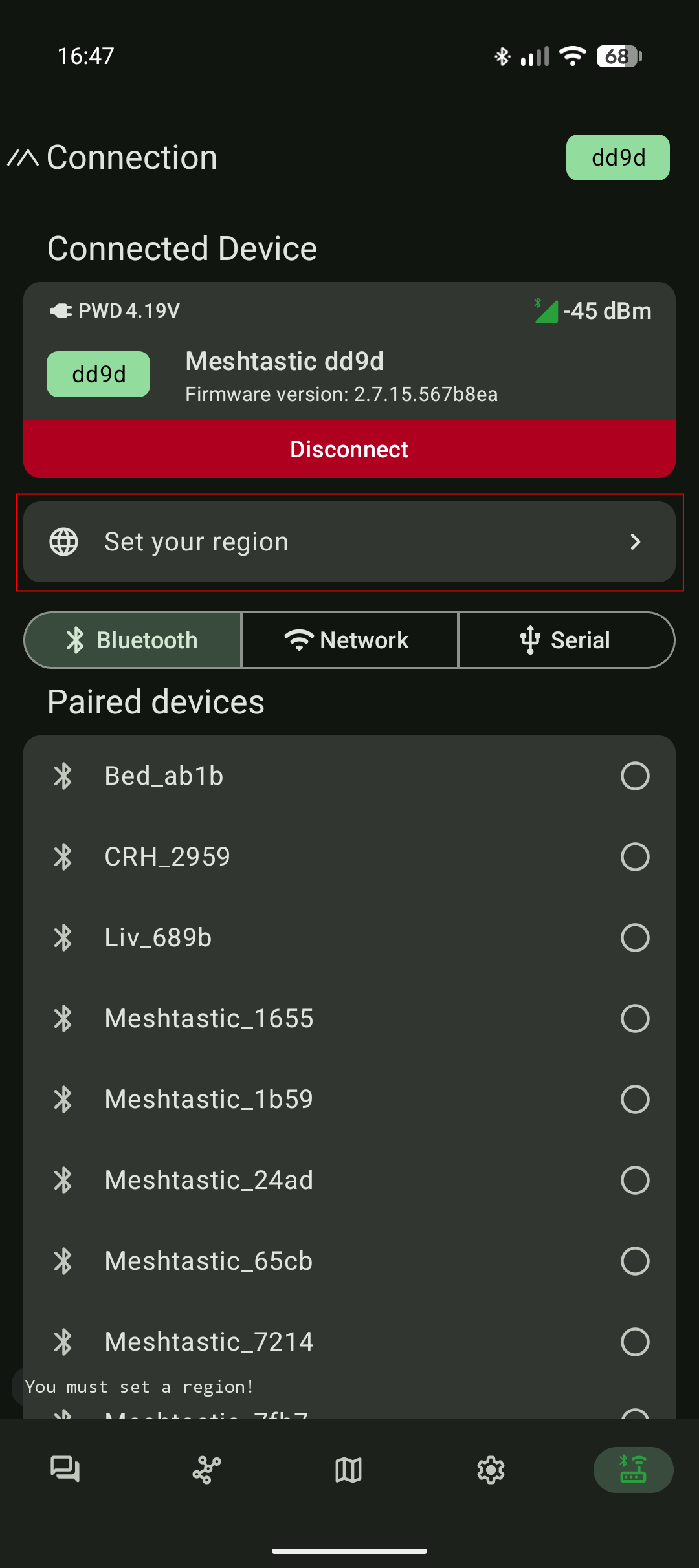 5.
5.
6. 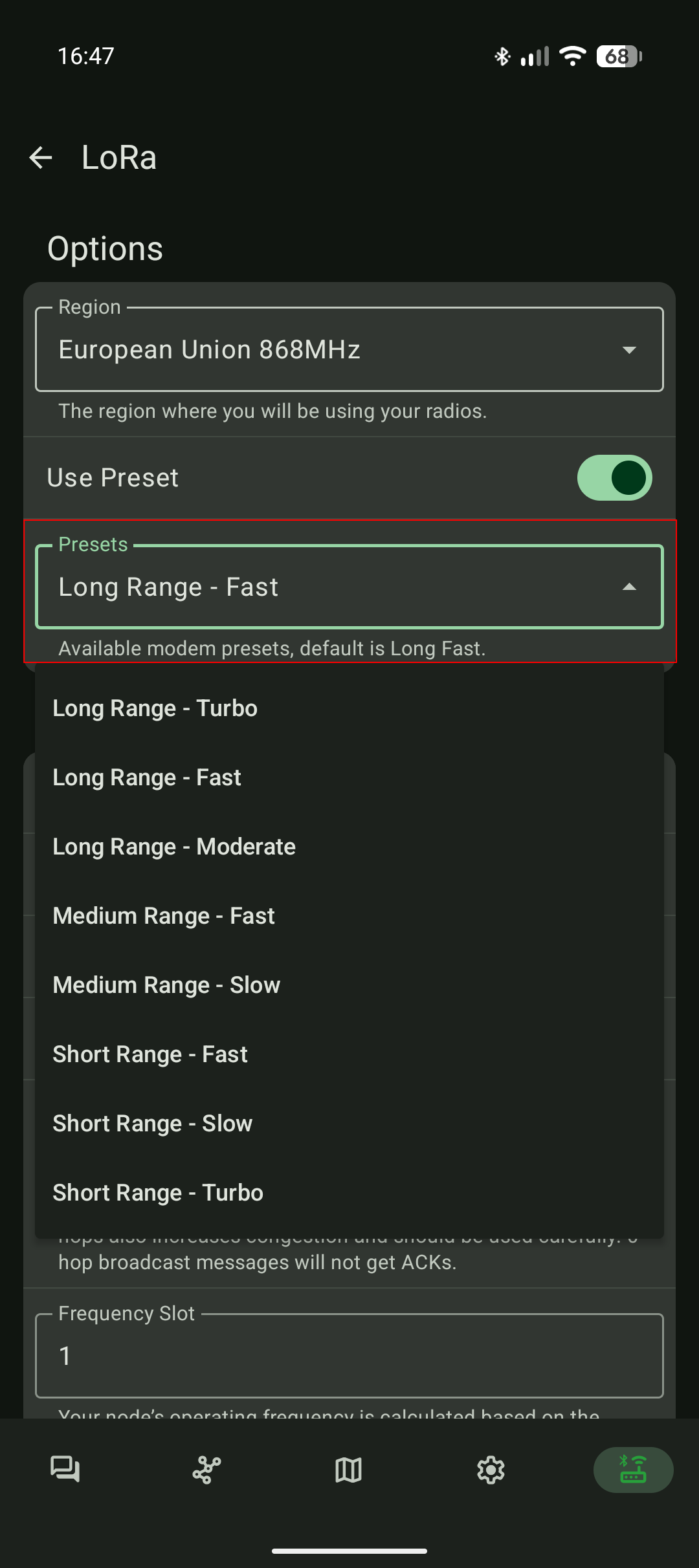 7.
7. 8.
8.
Shutdown your Meteor Pro
To power off your Meteor Pro hold the "Power Button" for 5 seconds and release it. Wait 5 seconds and the Meteor Pro LED will turn off indicating that the radio is now "OFF".
Autonomous mode
As soon as your Meteor Pro has been initialised (see #First boot initial setup) the radio is now autonomous.
An autonomous Meteor Pro:
- Participate in extending the mesh network. Your Meteor will relay others transmission by itself.
- Shares its geolocation with members of the mesh network.
- Will blink its LED in a rainbow color pathern when a mesh message was addressed to your Meteor.
To interact actively with the mesh (sending text messages, reading messages, creating groups, etc...), you will need to connect to your Meteor Pro using one of the Meshtastic apps. For more information about the Meshtastic apps read the following chapter.