Installation, operation and transport
Intended use
The Meteor Pro is a portable long-range communication and geolocation device.
It is intended for professional and outdoor operations, where robust and secure communication is required.
The Meteor Pro is designed to thrive in demanding environments, such as long outdoor operation in harsh weather.
Installation and placement
-
Install the device in a location that is free from excessive vibration, dust, or direct sunlight.
-
Do not cover the enclosure or place it near heat sources such as radiators or stoves.
-
When mounted on a vehicle or structure, secure it firmly using the appropriate brackets or straps to prevent mechanical stress on the antenna or connectors.
-
Avoid bending or twisting the antenna during installation or use.
USB-C connector
-
The Meteor Pro operates from 5 V DC (USB-C).
- If the device is powered OFF, connecting it to an external power source will power it ON.
- A full charge take approximately 3.5 hours.
-
Use only certified USB-C cables and power supplies rated for at least 1 A.
-
Do not short-circuit or reverse the power polarity.
- Ensure adequate ventilation around the unit (minimum 50 mm clearance) to prevent overheating.
Do not use the USB-C connector while the unit is wet. If exposed to moisture, allow it to dry completely before connecting to USB-C.
Operation
-
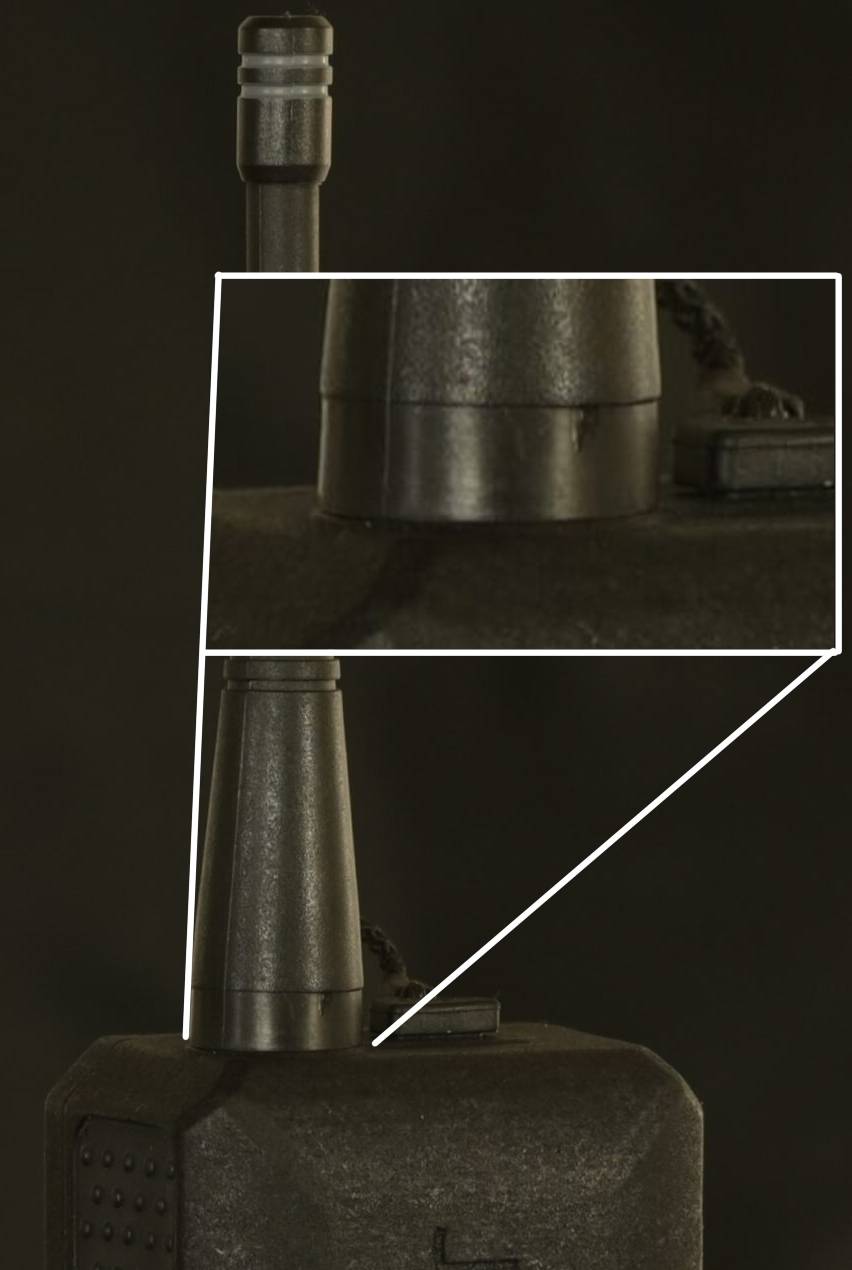
Attach the supplied antenna securely to the RF connector. Using only 2 fingers screw on the provided antenna on the RP-SMA antenna connector (3). Stop screwing once the antenna is flush with the enclosure.
-
Press on the Power button until the indicator LED lights up.
-
Connect to the device via Bluetooth 5.0 using the supported Meshtastic app
-
Check signal quality and GPS lock before field use.
-
To switch off, hold the Power button for min.5 seconds and wait until the LED turns off.
The default Bluetooth password is 123456
Antenna assembly
The antenna should be firmly screwed onto the RP-SMA connector but do not force. You may damage the antenna or the RP-SMA connector
Expected result:
Environmental considerations
-
Operating temperature: -20 °C to +60 °C
-
Relative humidity: 0 % to 100 % (non-condensing)
-
Suitable for indoor and outdoor use (IP65).
-
Not suitable for explosive (EEx) or flammable environments.
Improper installation or use may lead to electric shock, fire, or permanent damage to the unit.
Follow all power and mounting instructions precisely.
Transport instructions
To ensure safe transport and preserve device integrity:
-
Switch off the device before packing or transport.
-
Use the original packaging or equivalent protective foam to avoid shock and vibration damage.
-
Keep the device away from magnets, flammable materials, solvents and moisture during transport.
-
If transporting by air, comply with Li-ion battery transport regulations (IATA/ICAO).
-
Do not transport a device that shows signs of battery swelling, leaks or mechanical damage.
Shipping instructions
To ensure safe shipping and preserve device integrity:
-
Switch off the device before packing.
-
Use the original packaging or equivalent protective foam to avoid shock and vibration damage.
-
Keep the device away from magnets, flammable materials, solvents and moisture during shipping.
-
If shipping by air, comply with Li-ion battery shipping regulations (IATA/ICAO).
-
Do not ship a device that shows signs of battery swelling, leaks or mechanical damage.
Do not ship the device with a connected antenna — remove it to prevent mechanical stress on the RP-SMA connector.