Quickstart
Antenna assembly
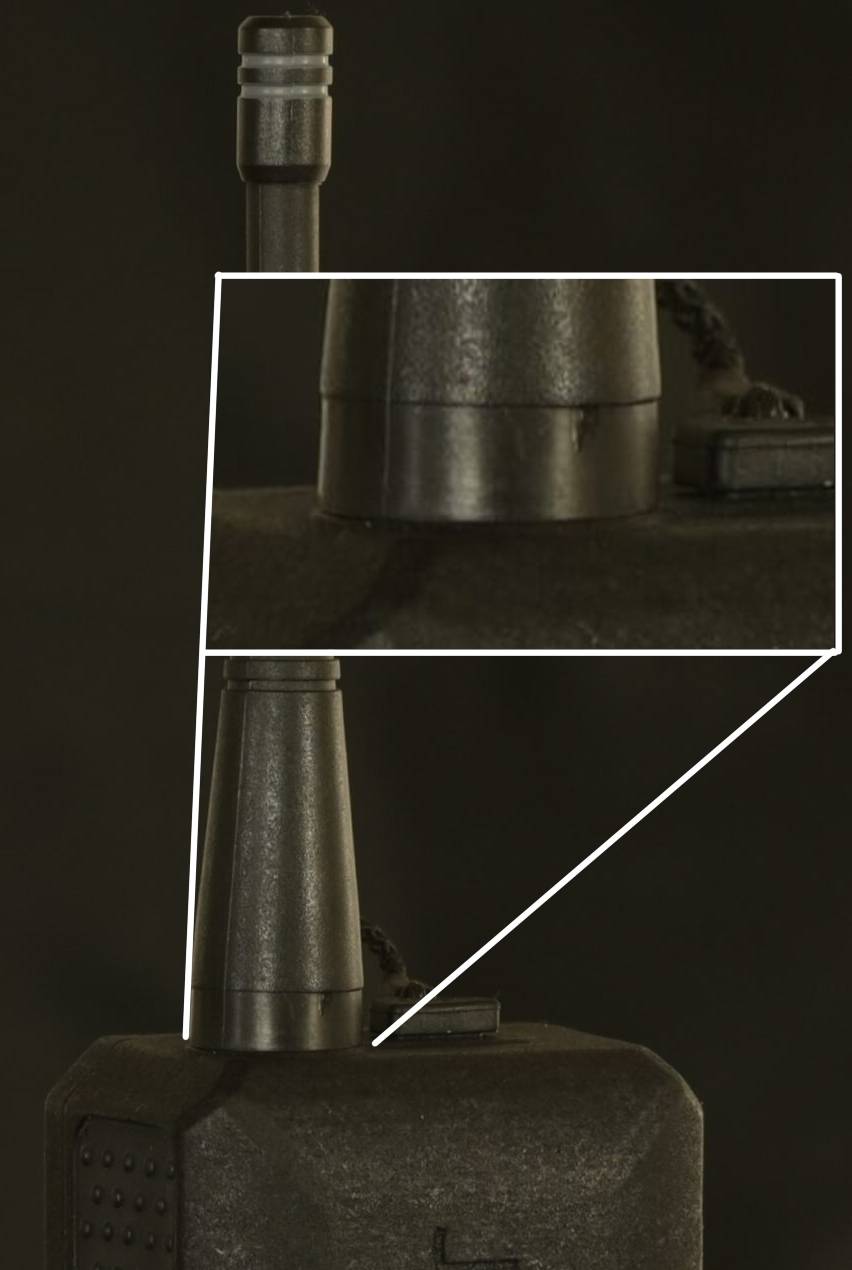
Using only 2 fingers screw on the provided antenna on the RP-SMA antenna connector (3). Stop screwing once the antenna is flush with the enclosure.
The antenna should be firmly screwed onto the RP-SMA connector but do not force. You may damage the antenna or the RP-SMA connector
Expected result:
Charge your Meteor Pro
Connect the Meteor Pro to a USB-C power supply using the included USB-C cable.
If the device is powered OFF, connecting it to an external power source will power it ON.
A full charge take approximately 3.5 hours.
Power your radio ON/OFF
To power ON your radio, press quickly the power ON/OFF button (7) and release. The LED (5) should shortly flash, shutdown and then turn on again once the radio has booted up. Your Meteor Pro should now be discoverable over Bluetooth.
To power OFF your Meteor pro, long press the power button and hold for 6 second. Release the power button and your device will shutdown 5 second later. Once OFF, the LED (5) will shutdown.